
Ever feel annoyed tracking your stocks by hand? The Yahoo Finance Portfolio Tracker works like a friendly dashboard, giving you live updates on your investments. It updates every 15 seconds while the market is open, showing you the ups and downs as they happen. Think of it as having a smart buddy who keeps you in the loop when the market shifts. In a world where quick choices matter, this tool makes investing simpler and more intuitive. Try it out and see how keeping an eye on your portfolio becomes a breeze.
Getting Started with the Yahoo Finance Portfolio Tracker
The Yahoo Finance Portfolio Tracker is like your own financial dashboard where you can easily keep an eye on your investments. Start by signing in with your Yahoo account, then head over to "My Portfolio" and click "Create Portfolio." Next, add your holdings by typing in details such as ticker symbols, the number of shares, and the purchase prices. The tracker does all the hard work for you by automatically calculating your gains and losses so you can see your portfolio value in real time. Imagine entering "AAPL" with the number of shares you own and the price you paid, watch as the tracker turns that data into clear, instant info about your gains and losses.
Once your portfolio is set up, you’ll notice that the tracker updates market data every 15 seconds during trading hours. This means you’re always getting the latest information. Plus, the tool comes with integrated financial news and expert analysis that helps explain why the market is moving. It’s a bit like having a savvy friend who keeps you informed every step of the way.
Keep in mind that the tool requires you to manually add each new transaction. So, whenever you make a trade, take a moment to update your holdings. This extra step ensures that you always have the most accurate snapshot of your investments. Knowing that your data is refreshed every 15 seconds can really change how quickly you react to market shifts.
Exploring Core Features of the Yahoo Finance Portfolio Tracker

The Yahoo Finance portfolio tracker is a handy tool that helps you keep up with market moves. It gives you real-time stock updates that refresh every 15 seconds during trading hours, so you can catch market changes almost immediately. Plus, you can design your own dashboards to see exactly what matters most to you, whether that’s specific stocks, global trends, or certain industries.
You can also create custom watchlists, making it easy to follow different parts of your investment strategy. Maybe you want one list for your favorite sectors or another for particular investment plans. The tracker presents interactive charts and graphs that use technical indicators like moving averages (which help you spot trends), RSI (a measure to see if a stock might be over or underbought), and MACD (used to gauge momentum). With these visuals, you can quickly pick up on patterns. And if you want to stay on top of changes, you can set alerts for price points, news updates, or shifts in analyst ratings.
Even though you need to manually enter your transactions, the tracker makes analyzing your portfolio and tracking its performance much simpler. If you’re looking to take your investment strategy even further, check out the other financial tools available.
| Feature | Description |
|---|---|
| Real-Time Market Data | Updates every 15 seconds to keep you informed of price movements. |
| Customizable Dashboards | Personalize your view to monitor preferred stocks and sectors. |
| Multiple Watchlists | Create separate lists for various investment strategies. |
| Interactive Charts and Graphs | Visualize trends with technical indicators like moving averages, RSI, and MACD. |
| Alerts and Notifications | Set price and news alerts to never miss important market updates. |
Managing and Organizing Investments with the Yahoo Finance Portfolio Tracker
The tracker offers an easy way to keep an eye on your investments by letting you set up separate portfolios for different plans, like saving for retirement or reaching short-term goals. You can create multiple portfolios, each giving you a clear look at how that specific strategy is performing over time. For instance, you might have one portfolio for growth stocks and another for safer, more conservative investments. This clear split helps you spot trends in each area without mixing things up.
A handy feature is building a custom watchlist. Imagine organizing one list just for technology stocks and another for dividend-paying stocks. You can even tag and sort your watchlists by industry, country, or specific financial purposes. This smart organization turns a basic portfolio into a complete tool that makes managing your investments feel much simpler.
You also have the option to set up personalized alerts. So, if a stock hits a certain price or there's important news that affects your investments, you get a quick heads-up. These alerts help you react fast to market shifts without needing to check your dashboard every minute. Even though you enter transactions by hand, regular reviews keep your data accurate, ensuring your portfolio is always a true reflection of your financial progress.
Tips for Optimizing Portfolio Performance in the Yahoo Finance Tracker
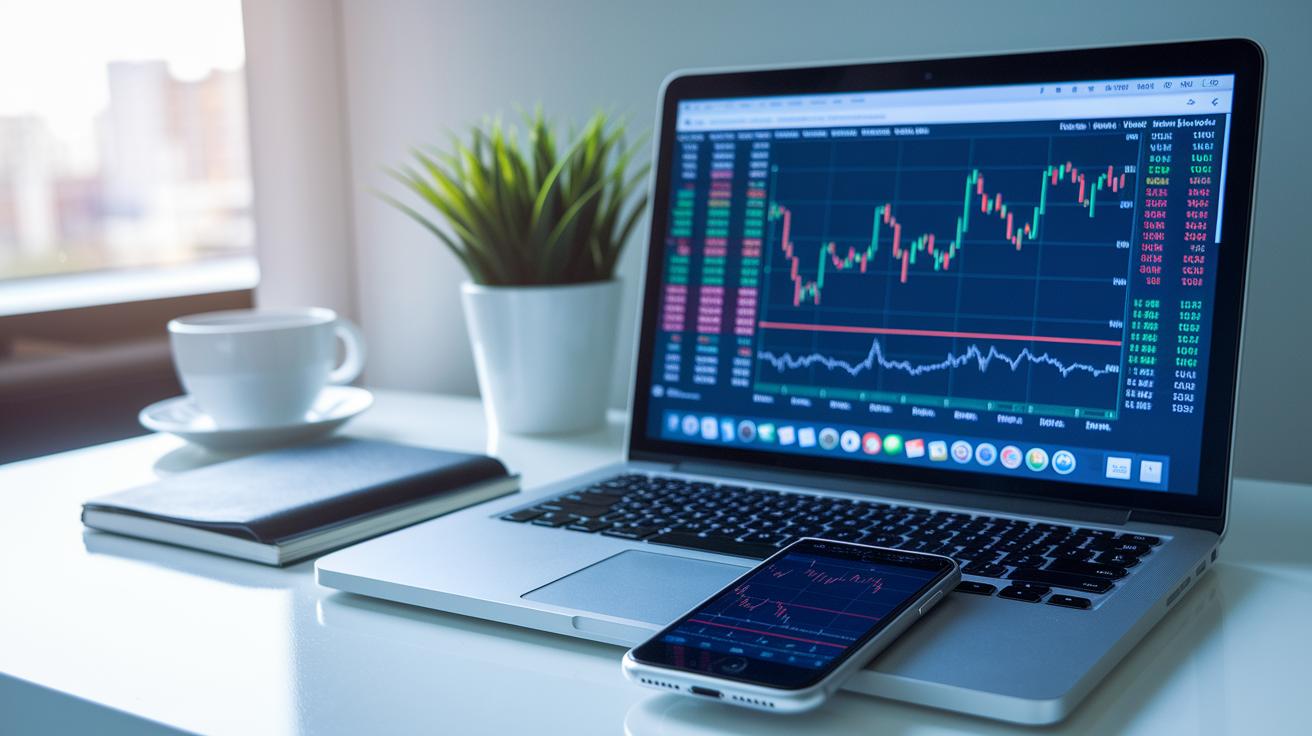
When you look at interactive charts, you can see how your investments have performed over time. These charts show you trends compared to big benchmarks like the SPDR S&P ASX 200 Fund. It’s like watching a scorecard that points out where your portfolio shines and where it could use some help.
Keeping track of dividends manually gives you extra information. Instead of only looking at how much your stock values change, you also see the money coming in from dividend-paying stocks. This way, you get a fuller picture of your total returns.
Regularly checking your portfolio with alerts makes it easier to catch important market moves. Set alerts for price changes or updates in analyst ratings so you can act quickly when new data shows up. This hands-on approach helps you make smarter investment moves every time.
For those who focus on income, it’s a good idea to look at yield and dividend numbers on a regular basis. This steady review builds both confidence and clarity when you decide to adjust your investment plans.
Here are some simple tips to help you make the most of your portfolio:
- Compare your portfolio against benchmark indices.
- Set up automatic alerts for price changes and news.
- Check your dividend yield numbers every month.
- Rebalance your asset mix every quarter.
- Use an integrated news feed for fresh market insights.
By combining interactive tools with careful tracking, you can fine-tune your returns and keep your financial strategy nimble and effective.
Accessing the Yahoo Finance Portfolio Tracker Across Devices
The Yahoo Finance Portfolio Tracker is a friendly app you can use on the web, iOS, and Android. When you sign into your Yahoo account, your portfolio syncs automatically using secure cloud storage, so your updates follow you whether you're on your computer or checking your phone on the go. It even sends real-time price alerts, making sure you always know what’s happening in the market.
The tracker refreshes data automatically during trading hours, giving you the latest prices and news notifications. You can easily switch between your desktop and mobile device without missing any updates, every change appears instantly on both.
This tool is perfect for anyone who keeps an eye on several portfolios or needs quick updates while away from home. It offers a simple, reliable way to manage your investments with clear, prompt alerts and current market information, so you can react fast when a new opportunity pops up.
Security and Privacy Measures in the Yahoo Finance Portfolio Tracker
The Yahoo Finance Portfolio Tracker uses your Yahoo login to keep your investment details safe. With two-factor authentication, a special code is sent to your phone, giving your account extra protection, kind of like a double-locked door for your funds.
Data moves using strong safeguards known as SSL/TLS encryption, which means your sensitive details are scrambled during transfer so they can’t be easily read. Your portfolio info is stored securely in your Yahoo account with controls that limit who can view it. Since the tracker isn’t directly connected to brokerages, there’s very little risk of unauthorized transactions. Plus, secure data synchronization makes sure your investment updates stay safe and consistent on all your devices.
Every update is monitored with robust encryption and careful privacy measures to give you peace of mind as you watch your investments grow.
Comparing Yahoo Finance Portfolio Tracker with Other Portfolio Tools
The Yahoo Finance Portfolio Tracker uses the Simple Return method, which only shows capital gains. This approach leaves out important details like dividends, fees, and changes in currency. Think of it as tracking only part of your progress while missing key signals along the way.
On the flip side, premium tools such as Sharesight and Portseido look at your investment from every angle. They follow total return metrics, capturing not just stock price shifts but also dividend income, tax info, and currency ups and downs. Their advanced methods, like Money-Weighted returns (which consider how the value of money changes over time) and Time-Weighted returns (which focus on the actual performance without the effect of cash flows), help you see exactly where your money is going. These platforms work much like a robust portfolio analysis tool portfolio analysis tool by providing clear insights into your overall performance.
Yahoo Finance is free and easy to use, making it a great start for new investors who value simplicity. However, if you need detailed analytics and direct links to your brokerage, experienced investors might find it a bit lacking. When your view of your investments isn’t as complete as you’d like, it might be time to upgrade your tracking solution.
Final Words
In the action, this guide shows how the yahoo finance portfolio tracker can help you keep an eye on your investments. It walks you through setting up your portfolio, updating holdings manually, and using real-time data for up-to-date insights.
The article also highlights managing different portfolios, setting alerts for market moves, and ensuring your financial information remains secure on any device.
Stay positive and keep exploring these tools to make smarter choices and achieve greater peace of mind with your investments.
FAQ
Is the Yahoo Finance portfolio tracker free, and is it a good free portfolio tracker?
The Yahoo Finance portfolio tracker is free, offering real-time data, integrated news, and a personal dashboard without subscription fees. It’s designed for tracking stocks, ETFs, and other manually entered holdings.
What happened to the Yahoo Finance old view and why was it discontinued?
The old view was replaced with a refreshed interface offering enhanced real-time updates and improved performance tracking. This change helps users enjoy a smoother, more modern tracking experience.
What is a stock portfolio tracker or my stocks portfolio?
A stock portfolio tracker is a tool that helps you monitor investments by tracking stock prices and performance. Yahoo Finance provides a user-friendly dashboard that updates every 15 seconds during trading hours.
How does the Yahoo Finance portfolio tracker app work?
The app delivers real-time stock updates, news alerts, and auto-syncs portfolio data across devices with your Yahoo account. It makes tracking your investments easy when you’re on the go.
What do reviews say about the Yahoo Finance portfolio tracker?
Reviews often praise its user-friendly design, real-time insights, and seamless integration of news feeds. Users find the free tool valuable, especially for basic portfolio tracking and monitoring.
How does the Google Finance portfolio compare?
The Google Finance portfolio tool offers a free way to track stocks with updated market data and simple performance overviews. It presents an alternative to Yahoo Finance for investors seeking a straightforward approach.
Which is the best portfolio tracker?
The best tracker depends on your needs. Yahoo Finance is a solid choice for free, real-time updates and integrated news, while other tools can offer advanced analytics for more complex investment strategies.
What assets can I track on Yahoo Finance?
Yahoo Finance lets you monitor stocks, IPOs, ETFs, and other holdings. It helps calculate gains and losses, giving you a quick snapshot of your portfolio’s performance with manual transaction entries.