
Have you ever thought that trading apps might be the key to smarter investing? These easy apps let you jump into stocks, ETFs, crypto, and more in no time, all while keeping fees low so you save more money. They offer clear charts and real-time alerts so investors at every level can easily spot trends and track their portfolios.
This simple guide lays out top apps side by side to help you find the one that fits your investing style best. Ready to see how smart trading can be right at your fingertips?
Trading apps: Quick Comparison for Smart Investing
Today’s trading apps let you place orders fast and with low fees, making them a great tool for investors at any level. Most top platforms let you trade stocks, ETFs, and even fractional shares without commissions, so you can keep more of your money. They also allow trading across different assets like options and crypto, which means you can build a mixed portfolio without needing a huge starting balance. Just keep in mind that if you trade very frequently in one day, some rules may require you to have $25,000 in equity.
These apps work behind the scenes to run trades automatically and send real-time alerts on price changes. For example, you can set up a notice to ping you when your favorite stock hits a desired price, pretty neat, right? With simple chart tools and even advanced indicators, these platforms help you spot trends easily. Plus, a clear portfolio dashboard makes it a breeze to keep tabs on your investments over time.
Performance matters, too, and these apps deliver by processing orders quickly and offering solid mobile trading features. Users on both iOS and Android back up these claims with positive reviews and thorough internal tests. Security is also a big focus. Many apps use SSL encryption, two-factor authentication, and offer SIPC insurance up to $500,000, which means your personal and financial information is well-protected. This blend of modern technology and user-friendly design makes trading accessible and confident for everyone, from newcomers to experienced investors.
Top Stock, Forex, and Cryptocurrency Trading Apps for Mobile

When you're picking a mobile trading app, it's good to know what each app brings to the table. We’ve set up a simple table below that compares the top apps side-by-side. It covers the asset types they support, how they charge fees, their mobile ratings, and the unique features they offer. This easy glance helps you figure out which app suits your investing style best. Some apps shine with a user-friendly layout and helpful goal-setting tools, while others impress with solid educational resources or very low fees per share. The ratings come from a mix of iOS and Android reviews along with our own testing, so you get a clear and honest look at performance.
| App | Asset Types | Commission | Mobile Rating | Specialty Features |
|---|---|---|---|---|
| Charles Schwab | Stocks, ETFs, Options | $0 for stocks/ETFs | 4.5–4.8 stars | Goal-building tools, ease-of-use |
| Robinhood | Stocks, Options, Crypto | $0 commissions | 4.5–4.8 stars | Simplified interface, beginner friendly |
| E*TRADE | Stocks, ETFs, Options, Treasuries, Mutual Funds | $0 for many trades | 4.5–4.8 stars | Advanced mobile charts and tools |
| Fidelity | Stocks, ETFs, Options | $0 for stocks/ETFs | 4.5–4.8 stars | Extensive research and educational content |
| Interactive Brokers Pro | Stocks, Options, ETFs, International | Fractions of a penny per share | 4.5–4.8 stars | Bulk options discounts and advanced execution |
| Webull | Stocks, Options, Crypto | $0 commissions | 4.5–4.8 stars | Beginner friendly with integrated crypto trading |
| Public | Stocks, ETFs | $0 commissions | 4.5–4.8 stars | Social feeds for community insights |
This clear overview shows how each app combines cost and functionality. You can pick the one that fits your trading goals and the asset types you’re interested in, all without needing extra deposits aside from the usual day trading rules. It’s like having a friendly guide to help you navigate the busy world of mobile trading.
Comparing Trading App Fees and Commission Structures
Zero-commission trades on stocks and ETFs are now common, so you can buy and sell without extra charges. Brokers like Robinhood and Schwab even let you trade fractional shares for free, which makes it easier to start trading with a small deposit. Some platforms, though, might tack on a small fee for each options or crypto trade. This keeps the fee structure clear and simple.
Margin rates are another key factor here. Most brokers charge margin rates from about 3% to 9% APR. For example, Interactive Brokers Pro is known for offering some of the lowest rates. Also, you might encounter monthly costs like inactivity or data fees ranging from $1 to $10. If you don’t trade often, even these small fees can add up, so it's important to factor in all ongoing costs when you choose your platform.
Other charges to consider include wire and ACAT transfer fees, which can cost between $10 and $50 with some brokers. While most trading apps don’t require you to have a huge balance, pattern day traders do need to maintain at least $25,000 in equity. Taking time to look over these various cost models will help you pick the trading app that fits both your style and your budget.
App Security and Regulatory Compliance for Trading Apps
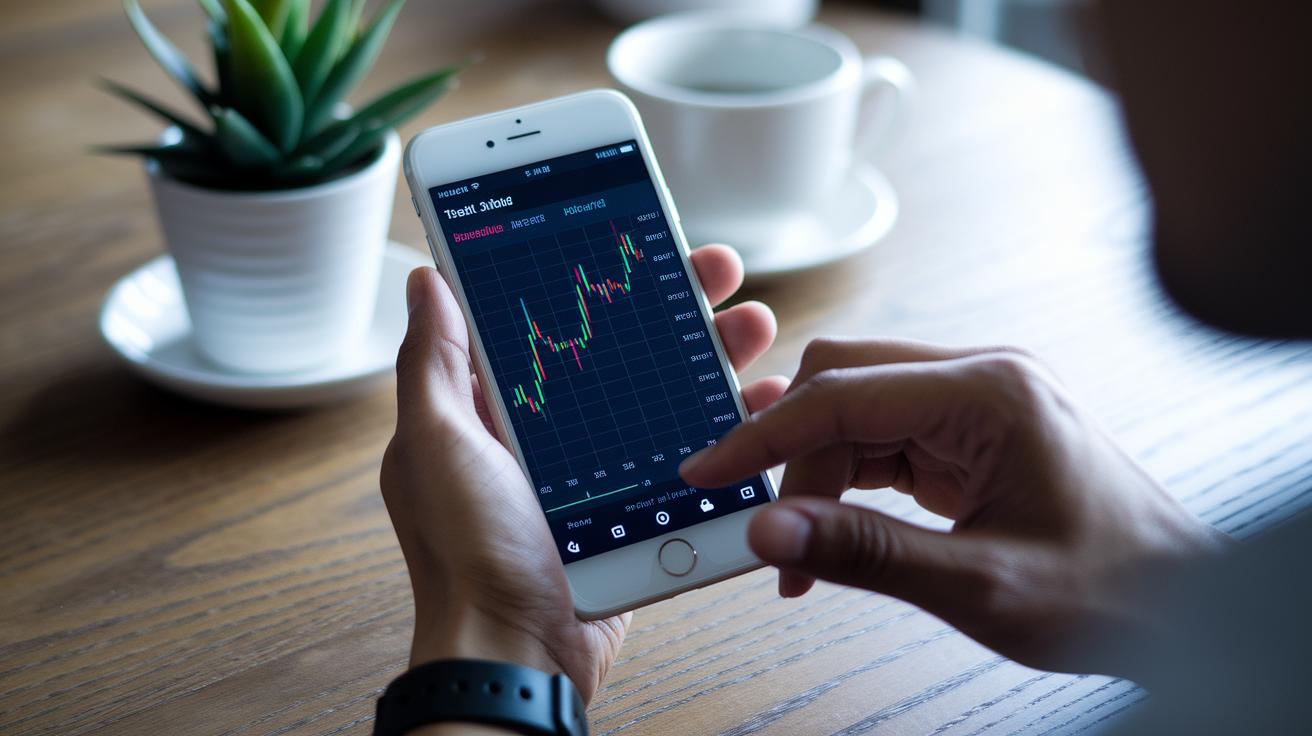
Top trading apps use strong security measures to keep your info safe. They use SSL/TLS encryption, which is like turning your data into a secret code, and bank-grade firewalls that act like digital barriers. Imagine a secure vault where your investments are locked away, that’s the kind of protection these apps provide. This setup lets you trade with peace of mind.
To add another layer of safety, these apps use two-factor authentication. This means you get a code via SMS, email, or an authenticator app before you can log in. Many also offer biometric logins like fingerprint or Face ID on iOS and Android. Even if someone gets hold of your password, only you can access your account. It’s a simple, extra step that keeps your personal data safe.
These platforms also follow strict regulatory rules. Many provide SIPC insurance that covers up to $500,000 in securities and $250,000 in cash, which protects your money like a safety net. They stick to FINRA rules and use AML and KYC checks (simple steps to verify who you are) to maintain strong oversight. This rigorous approach means your trades are constantly safeguarded, building trust over time.
Advanced Trading Tools in Mobile Apps: Charting, Signals, and Automation
Modern trading apps pack plenty of smart tools to help you keep up with the market and make trades quickly. These features are built to give you an edge, whether you're checking detailed market charts or setting up automated orders. It’s like having a friendly guide that simplifies technical analysis and speeds up your decisions. Here are eight standout features offered by these advanced apps:
- Comprehensive charting modules let you view data in various timeframes, use drawing tools, and apply over 40 indicators like RSI, MACD, and Bollinger Bands (these are tools that help you measure trends and market strength).
- Technical analysis tools provide real-time pivot points, add support and resistance overlays, and let you create custom watchlists to catch market shifts.
- Algorithmic trading solutions connect with APIs to backtest your strategies and automate order execution, making it easier to manage your trades.
- Trading signal apps send you alerts for events such as moving-average crossovers, volatility breakouts, and news updates, so you never miss an opportunity.
- App-based stock screeners narrow down investments by market cap, P/E ratio, volume trends, and sector performance, helping you find the right stocks more quickly.
- Advanced order types, including stop-loss, trailing stops, one-cancels-other, and bracket orders, give you the flexibility to set up entries and exits to manage risk better.
- Mobile forex analytics display live quotes, heatmaps, economic calendar overlays, and sentiment gauges, so you can follow currency movements with ease.
- Trend analysis features mix historical data with live dashboards to provide clear insights into market sentiment and price directions.
Pretty neat, right? These tools are designed to feel intuitive and user-friendly, like having a wise friend by your side when navigating the exciting world of trading.
Beginner-Friendly Trading Apps: Paper Trading and Guided Learning Features

Demo accounts let you try out trading without risking any real money. Platforms like Webull, Thinkorswim, and TradingView give you $100,000 in pretend cash, so you can experiment and see what works for you. It’s a smart, hands-on way to learn the ropes without any worries.
These apps also offer simple mobile tutorials and video lessons that break down the basics. They guide you step by step, from learning how to place an order to understanding charts and managing risk. Picture this: you place a demo buy order on a popular stock and then follow along with a tutorial that explains every detail.
On top of that, virtual portfolio simulators track your returns and show you metrics like risk-adjusted performance. This lets you see how your strategies might work in real life without any financial gamble. In truth, these demo accounts build your confidence and help you master the tools you need for actual trading.
User Interface and Customization in Trading Apps
Most apps like Robinhood and SoFi use simple, clean layouts that let you quickly make trades and see your portfolio at a glance. This minimal design helps new traders feel at ease without too many choices to confuse them.
For traders with a bit more experience, apps like Interactive Brokers and E*TRADE offer dashboards that you can tweak. You can add custom widgets, choose chart overlays, use dark mode, and sync layouts so your workspace fits your style and needs.
Plus, many trading apps now let you drag and drop ticket entry, which speeds up busy trading days. Their mobile designs work smoothly on smartphones, tablets, and desktops, and you can set color themes or even use multiple displays. This mix of straightforward and advanced options means everyone can find an interface that feels just right, whether you’re placing a quick order or taking a deep dive into detailed charts.
How to Choose the Right Trading App for Your Investment Goals

When you pick a trading app, start by making sure it covers the assets you care about and fits your budget. Look for an app that lets you trade a mix of stocks, bonds, and even crypto with low fees. Many users appreciate commission-free trades on stocks and ETFs, which keeps costs low for everyone, even if you're just starting out. It’s essential that the fee setup matches your own trading style so that unexpected charges don’t sneak up on you.
Next, think about the extra features that can make investing more fun and informative. Some apps let you follow what others are trading and join in on lively discussions, offering a friendly, social twist to your experience. Tools like in-app calendars and live news updates can alert you to important market events, making it easier to read the room whether you’re in for fast trades or long-term growth.
Finally, check out how the app supports you and tailors offerings to your needs. Options can range from handy chatbots to real live customer help, along with detailed FAQs. Many platforms also offer AI tips and ratings from other users that can help you feel confident in your choice. By weighing these factors, you can find the perfect app that matches your investment goals and keeps you ready for the market’s next move.
Final Words
In the action, we explored a range of trading apps, covering everything from user-friendly designs to detailed fee structures and robust security measures. The post broke down features like automated trade execution, custom alerts, and real-time market updates. We also touched on tools that help manage risks and stay ahead of market trends.
Modern trading apps combine smart tools and strong protection so investors can make informed choices. With trading apps, you’re well-equipped for today's dynamic market.
FAQ
What are the top 10 trading apps?
The top 10 trading apps are known for offering diverse asset coverage, commission-free trades, fast order execution, and user-friendly features that help investors of all levels manage their portfolios effectively.
What should I know about trading app companies or Trading Apps Ltd?
The leading trading app companies emphasize ease of use, robust security, and a mix of asset options. They design platforms that suit various investment needs and match different trading styles.
How do trading apps handle Forex trading?
Trading apps that support Forex offer real-time charts, fast execution, and various technical indicators. They allow users to trade currency pairs efficiently with features like automated trade execution and custom alerts.
What are trading apps for Adopt Me?
Some trading apps integrate features inspired by popular games like Adopt Me, adding a playful twist to trading. These apps may blend social elements with market tools, though they differ from standard financial trading platforms.
Which trading apps are best for beginners and which trading platform is best for beginners?
Beginner-friendly trading apps provide paper trading, guided tutorials, and simple interfaces. They focus on learning tools and community insights, making them ideal for those starting without risking real funds.
Which one is the best trading app?
The best trading app balances low fees, strong security, real-time alerts, and a user-friendly interface. It combines advanced market tools with educational features to serve both new and seasoned investors.
What is the 90% rule in trading?
The 90% rule in trading suggests that roughly 90% of trades may not yield profits. It highlights the importance of sound risk management, disciplined strategy, and realistic market expectations.
Is Robinhood good or bad?
Robinhood is recognized for commission-free trades and a simple interface, making it popular among casual investors. However, its limited research tools mean that those seeking in-depth analysis might explore alternative platforms.