
Ever wonder if your stock charts truly work in your favor? Smart investors understand that the right tool can change a jumble of numbers into clear market insights. In 2025, platforms like TradingView and TrendSpider help you spot trends quickly and easily.
In this article, you'll discover the top 10 stock charting software options. We'll break down the costs, highlight standout features, and explain which tool might be the best match for your trading style.
Get ready to see the market in a new light and boost your insights with software that works as hard as you do.
Top 10 Best Stock Charting Software for 2025
Investors and traders in 2025 have plenty of options when it comes to charting software. Whether you’re just starting out or you’re deep into the trading game, there’s a tool out there built just for your needs. Some people opt for a solid free version with all the basics, while others lean toward paid platforms that offer detailed technical analysis. It’s all about comparing costs, standout features, and figuring out which tool suits your trading style best.
Take TradingView, for example. It’s well-loved for its community-driven indicators and flexible chart customization. But keep in mind, the free version only lets you work with one chart per tab and two indicators per chart. On the other hand, TradeStation offers free charts tied directly to your broker account so you can place trades straight from the chart. And then there’s TrendSpider, which steps up the game with automated technical analysis and real-time alerts, perfect for active traders, though it does come at a higher price.
Below is a handy comparison of the top ten platforms. The table shows each tool’s pricing, key benefits, and who it’s best for, helping you choose the charting software that matches your trading needs.
| Software | Pricing | Key Feature | Best For |
|---|---|---|---|
| TradingView | Free & Paid | Customizable charts & community indicators | Chart lovers and technical analysts |
| TradeStation | Free | Broker-connected trading charts | Users preferring direct trade execution |
| TrendSpider | $33–$69/mo | Automated technical analysis & alerts | Active traders seeking smart tools |
| Stock Rover | From $7.99/mo | Multi-portfolio tracking & analytics | Intermediate and pro investors |
| Benzinga Pro | ~$99/mo | Integrated newswire & chart support | Investors needing news and analysis |
| Finviz | Free + Elite ($39.50/mo) | Quick-access charts & screening tools | Casual traders and stock screeners |
| StockCharts | Free plan | Chart export/sharing; up to 3 indicators | Long-term investors favoring simplicity |
| Webull | Free | Mobile charting with real-time quotes | Active traders on mobile |
| Interactive Brokers | Free with account | High-tech charting & API integration | Advanced, tech-savvy investors |
| thinkorswim | Free with account | Comprehensive technical analysis tools | Traders using cross-device charting |
Feature Comparison of Best Stock Charting Software

TradingView is a leader in this space, offering over 100 built-in indicators that help you get a clear picture of market trends. Meanwhile, TrendSpider makes it easy by automatically drawing trendlines to catch important patterns. And then there’s thinkorswim, which lets you adjust scripts so your technical analysis fits exactly what you need. These platforms are built to give you data similar to classic technical analysis methods, making smart decisions a bit clearer.
When you look at the different chart types available, you'll find options like candlestick, line, bar, Heikin-Ashi, and Renko charts. StockCharts even goes a step further by including unique styles like Point & Figure and Kagi charts, which means both beginners and seasoned traders can choose graphs that match their own style.
The drawing tools on these systems also really stand out. For example, TradingView's collection of more than 100 smart drawing tools makes it simple to mark support and resistance levels. TrendSpider’s auto-generated trendlines quickly show you key market patterns. On the other hand, Finviz sticks to basic overlays, which might not give you the detailed visuals you need when doing volume analysis.
Real-time updates are essential for active trading. TradeStation and Interactive Brokers deliver up-to-the-minute data, while Yahoo Finance and Finviz work with delayed updates. TrendSpider even offers a strong backtesting engine and dynamic alerts to help you test and adjust your strategies, and StockCharts lets you replay historical price movements to fine-tune your trading approach.
Pricing and Subscription Plans for Stock Charting Software
| Platform | Pricing | Key Features/Notes |
|---|---|---|
| TradingView | Free; Pro $14.95/mo; Pro+ $29.95/mo; Premium $59.95/mo | The free version offers a basic experience with fewer indicators and chart setups. Many users start here and later upgrade for more advanced tools. |
| TrendSpider | Standard $33/mo; Elite $69/mo | No free option is available. It’s designed for those who value automation and real-time alerts to stay on top of market movements. |
| Stock Rover | Essential $7.99/mo; Premium $19.99/mo; Ultimate $29.99/mo | A 14-day free trial is offered for the higher tiers, giving you a chance to explore the features in depth before committing. |
| Finviz Elite | $39.50/mo | Provides real-time chart updates along with advanced screening tools for a more detailed analysis. |
| Brokerage Bundled | N/A | Certain brokerages, like thinkorswim, Webull, and Interactive Brokers, include free charting with account setups, though extra data fees might come into play. |
Looking at these options, it’s easy to see that each platform has its own appeal. TradingView, for example, starts with a free basic plan that many traders use until they’re ready for extra features. TrendSpider skips the free plan altogether, focusing on smart automation and live alerts.
Stock Rover lets you test out its top-tier tools with a 14-day free trial, so you really get a feel before making a decision. Finviz Elite gives you fast, real-time charts and advanced screening for a steady flow of insights. And if you already have an account with brokers like thinkorswim, Webull, or Interactive Brokers, you can enjoy free charting, though sometimes you might need to cover additional data costs.
In short, each option offers something unique. What matters most? Whether you’re just starting out or ready for advanced tools, there’s a solution that fits your style and needs.
Pros and Cons of Leading Stock Charting Software

Below are seven benefits that many investors appreciate from these powerful charting tools in the market. First off, TradingView stands out with its huge collection of user-created scripts, giving you a simple way to customize your charts. And then there's TradeStation, which even offers completely free, broker-connected charts so you can see your trading ideas come to life instantly. Next, TrendSpider works hard by automatically spotting chart patterns, which makes it easier for those keeping a close eye on market trends. Stock Rover comes with in-depth portfolio analytics that help both budding and experienced investors make informed decisions. Finviz serves up charts that are quick to view, perfect for rapid market scans without extra clutter. With StockCharts, you get a toolbox of technical analysis features that let you explore various chart styles along with historical data. Finally, thinkorswim packs in an array of technical indicators and customization options to fit a broad range of trading strategies.
On the flip side, here are seven drawbacks that some users have noticed. TradingView’s free plan shows frequent upgrade prompts and limits on indicators, which can slow you down at times. Then, TradeStation’s desktop version might feel a bit tricky for those who are just starting out. TrendSpider’s cost is on the higher side, and its international data coverage might not meet every trader’s needs. With Stock Rover, the steep learning curve might make it less friendly for those who trade frequently within the day. Finviz keeps full chart views behind a paywall, meaning you might miss out on some advanced features unless you upgrade. StockCharts offers just a few free features, and its ads might distract you from getting a smooth view. And finally, thinkorswim suffers from an older-looking interface, which can end up affecting your overall experience.
Usability and Integration Capabilities of Stock Charting Software Platforms
Investors have stock charting platforms built to work on several devices. For example, TradingView runs smoothly on the web, iPhone, and Android, while thinkorswim provides a strong desktop, web, and mobile setup. StockCharts sticks to the web, and Webull is focused on mobile apps so you can check your charts wherever you are.
A clean, easy-to-use design makes all the difference. TradingView is loved for its straightforward layout that makes reviewing charts a snap. StockCharts even lets you customize your workspace to fit your style. And with TrendSpider, the modular dashboard highlights key indicators, helping both beginners and seasoned traders make quick decisions.
Broker integration takes things one step further. Platforms like TradeStation and Interactive Brokers let you place orders directly from your charts, merging your analysis with trading actions. This smooth link between looking at charts and executing trades cuts down on delays, making life easier whether you trade actively or manage long-term investments.
Data import and export features add another layer of flexibility. TradingView shares helpful scripts with its community, and thinkorswim supports workspace sharing so you can easily set up your trading environment on different devices. StockCharts even offers CSV exports for trend data, which you can use to blend chart insights into broader financial analysis. All of these tools work together to give you a more efficient and enjoyable trading experience.
Expert and User Reviews of Stock Charting Software
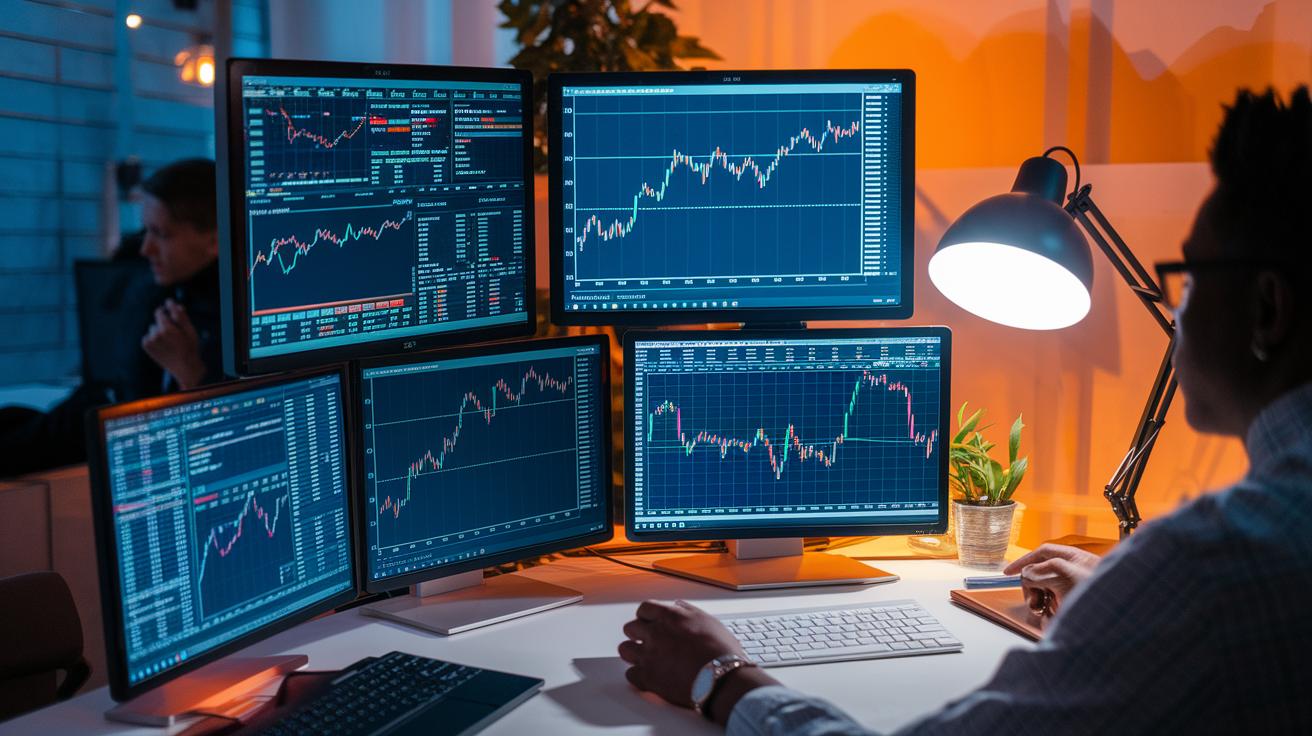
Experts often put TradingView at the top of the list for excellent charting tools. They love its huge library of community-made scripts and an impressive mix of technical indicators. With a Trustpilot rating of 4.3/5, many users say it’s a versatile tool that’s easy to tweak, making it a great fit for both beginners and seasoned traders.
Next, TrendSpider earns high praise for its smart, automated technical analysis. This means it works like a digital helper, spotting market trends automatically. Users are fans of its live scanning and quick alerts that keep them ahead of fast-moving trends. However, some mention that mastering its more advanced features can take a bit more time.
Then there’s StockCharts, which is known for solid backtesting capabilities. With a user rating of 4.0/5, it’s a trusted choice for those planning long-term strategies. Traders also give shout-outs to TradeStation’s free charts connected to brokers and Webull’s slick mobile experience, both of which are favorites among active traders.
Overall, ratings such as Finviz’s 3.8/5 and thinkorswim’s 4.1/5 show that each platform has its own strengths. In the end, the best tool really depends on your trading style. Day traders might lean towards platforms offering real-time alerts, while long-term investors often prefer a simple, reliable charting setup.
Final Words
In the action of this guide, we broke down the top 10 stock charting platforms for 2025. We reviewed everything from key features and price plans to pros, cons, and ease of use. Each section gave a clear look at what you can expect from these tools.
The insights shared can help you build confidence in your trading decisions while balancing risk and opportunity. With so many options, finding the best stock charting software is a step toward smarter, more secure investing.
FAQ
What is the best stock charting software on Reddit?
The best stock charting software mentioned on Reddit is TradingView, known for its community scripts and customizable charts, while TradeStation also receives praise for its free broker-connected charting features.
What is the best free stock charting software?
The best free stock charting software choices include TradingView’s free tier, TradeStation’s free charting tools, and Webull’s mobile platform, each offering essential real-time data and technical indicators.
What is the best charting software for day trading?
The best charting software for day trading offers real-time updates and direct trade order entry. Tools like TradeStation, Interactive Brokers, and TradingView are favored for their speed and responsive, detailed charts.
What is the best charting software for forex?
The best charting software for forex provides real-time currency data and specialized indicators. TradingView stands out with its broad set of tools to analyze forex pairs and spot emerging trends.
What is the best charting app for Android?
The best charting app for Android is often Webull, known for its real-time quotes and customizable technical indicators, while TradingView also offers an intuitive, responsive mobile interface.
What is the best stock charting tool?
The best stock charting tool can vary by needs but usually points to TradingView, which offers an extensive indicator library, community scripts, and a user-friendly design for diverse trading styles.
What might be considered better than TradingView?
What’s better than TradingView depends on user needs. Some traders lean towards TradeStation for free, integrated broker charts or TrendSpider for its AI-driven automated technical analysis.
Which is the best chart for the stock market?
The best chart for the stock market often comes down to personal preference, with many favoring TradingView or StockCharts for their detailed analysis tools and customizable charting options.
What is better, TradingView or StockCharts?
TradingView is often preferred for its community-driven scripts and flexible indicators, while StockCharts provides a straightforward, solid interface, making the choice depend on the trader’s emphasis on simplicity or customization.
What is TC2000 charting known for?
TC2000 charting is known for its fast performance and clear technical indicators, making it a solid option for traders who value speed and straightforward chart analysis.
What role does AI play in stock chart analysis?
AI in stock chart analysis, as seen with TrendSpider, uses automated pattern recognition and dynamic alerts to help traders quickly identify trends and potential entry points, enhancing decision-making.
What free websites offer stock analysis charts and indicators?
Free websites like TradingView and StockCharts offer stock analysis charts and essential technical indicators, providing users with useful tools to review market trends without a subscription fee.