
Have you ever missed a trade because the market moved too fast? Imagine having a friendly helper who spots winning opportunities while you relax. Today, we’re exploring three great stock screening apps that give you fast, clear insights. They work with live data, simple filters, and handy alerts to boost your confidence when you trade. Stick with us to see how these tools can really change your trading experience.
Key Features of a Top Stock Screening App
A good stock screening app makes it easy to dig through thousands of options by using smart filters and up-to-the-minute data. Think of it like having a friendly assistant who quickly finds stocks, ETFs, or crypto assets that match your trading style. Have you ever missed a great trade because the market changed in a blink? This is where a strong screener really shines.
- Real-time market data updates that keep you in the know.
- Fundamental filters like P/E ratio (a quick check on how expensive a stock might be), earnings growth, and dividend yield.
- Technical criteria such as moving averages, RSI (a tool to see if a stock is overbought or oversold), and MACD (another trend indicator).
- AI-powered trade ideas that draw on a lot of historical information.
- Customizable alerts and notifications to keep you informed without you having to constantly watch the screen.
- Cross-asset screening, which means you can check stocks, ETFs, and even crypto in one place.
These features work together to give you both a broad view and a detailed look at the market. Real-time updates are like feeling the pulse of the market, ensuring you don’t miss quick price movements. The basic filters let you quickly see the financial health of a company, as simple as a glance at a report card. Technical tools help you pick up on trends and signal when a stock might change direction. Plus, with AI-driven suggestions and custom alerts, you get smart, timely advice while staying relaxed. And being able to scan different types of assets means your portfolio can stay balanced and full of potential.
Pricing Tiers: Free Versus Premium Stock Screener Apps

Stock screening apps come in both free and premium versions. The free apps give you a taste by offering delayed data and basic filters, which is a good way to get started. But if you need live updates and extra features, like technical tools for analysis (helpful to see market trends in real time), premium plans might be better for you.
For beginners, free versions are perfect. They let you explore the basic screening functions without spending money. If you're a casual user, these tools work great without any commitment. But when you start trading more actively and need instant, detailed information, you might find premium apps really useful. They offer advanced filters and real-time alerts that can help you make smart decisions on the fly.
Professional traders and analysts tend to prefer premium subscriptions. They get not only live data but also extra tools that support fast action and detailed insights. With these features, you can fine-tune your strategy and execute trades quickly when opportunities arise.
| App | Free Plan Limitations | Paid Pricing | Key Unlocks |
|---|---|---|---|
| TradingView | Delayed data & basic filters | $14.95/mo for Pro plan | Real-time data & enhanced charts |
| ChartMill | Limited trial access | $29.95/mo or $249/yr | Unlimited custom screens & in-depth technical tools |
| Finviz | Basic scans with ads | $39.50/mo for Finviz Elite | Advanced filters & live updates |
| Seeking Alpha | Restricted screening features | $4.95 first month, then $299/yr | Comprehensive market insights |
| Yahoo Finance | Basic screening options | $29.16/mo for Plus Essentials | Enhanced analytics & broader asset coverage |
If you’re just testing the waters, free stock screeners are a smart way to get your feet wet. As you build confidence and start trading more often, upgrading to a premium plan can really boost your trading game with sharper tools and quicker data.
3 Screener Stock App Gems for Smart Trading
This guide walks you through five easy steps that feel like hidden treasures for your trading routine. Think of it like piecing together a puzzle where every small clue helps you see the big picture.
Step 1: Launch the App and Select Your Market
First things first, fire up your favorite screener app, maybe TradingView or Finviz. Then, pick the market you’re interested in, whether that's stocks, ETFs, or crypto. For example, if you’re after regular dividends, you might lean toward stocks, or if you want a mix of investments, ETFs could be your pick. Imagine it like choosing the section of a grocery store to begin your shopping.
Step 2: Choose Your Basic Filters
Next, set up your simple filters. In TradingView, you can pick criteria like the P/E ratio or earnings growth. This step is all about getting a quick snapshot of how a company is doing financially. It’s a bit like checking out the nutrition label on a snack before you take it off the shelf.
Step 3: Add Your Technical Filters
Now, sprinkle in some technical filters such as moving averages, RSI, or MACD. These tools help you see trends and price momentum. It’s interesting, Warren Buffett once highlighted how even simple technical checks can signal big market shifts. Have you ever noticed how these trends can feel like the steady heartbeat of the market?
Step 4: Save and Name Your Screen Set-Up
Once everything is set, save your customized screen for later. For instance, Finviz lets you create presets if you register for a free account. Some platforms, like ChartMill, even offer unlimited custom screens, so your favorite settings are always ready for you.
Step 5: Review Your Results and Export the Report
Finally, take a good look at the results. Check out your list of potential picks and export a report to track your choices over time. For even better insights, try fine-tuning your filters. Play around with different settings or set up alerts to catch fresh opportunities, especially if you’re on the hunt for growth stocks.
Assessing Usability in Mobile Stock Screener Apps
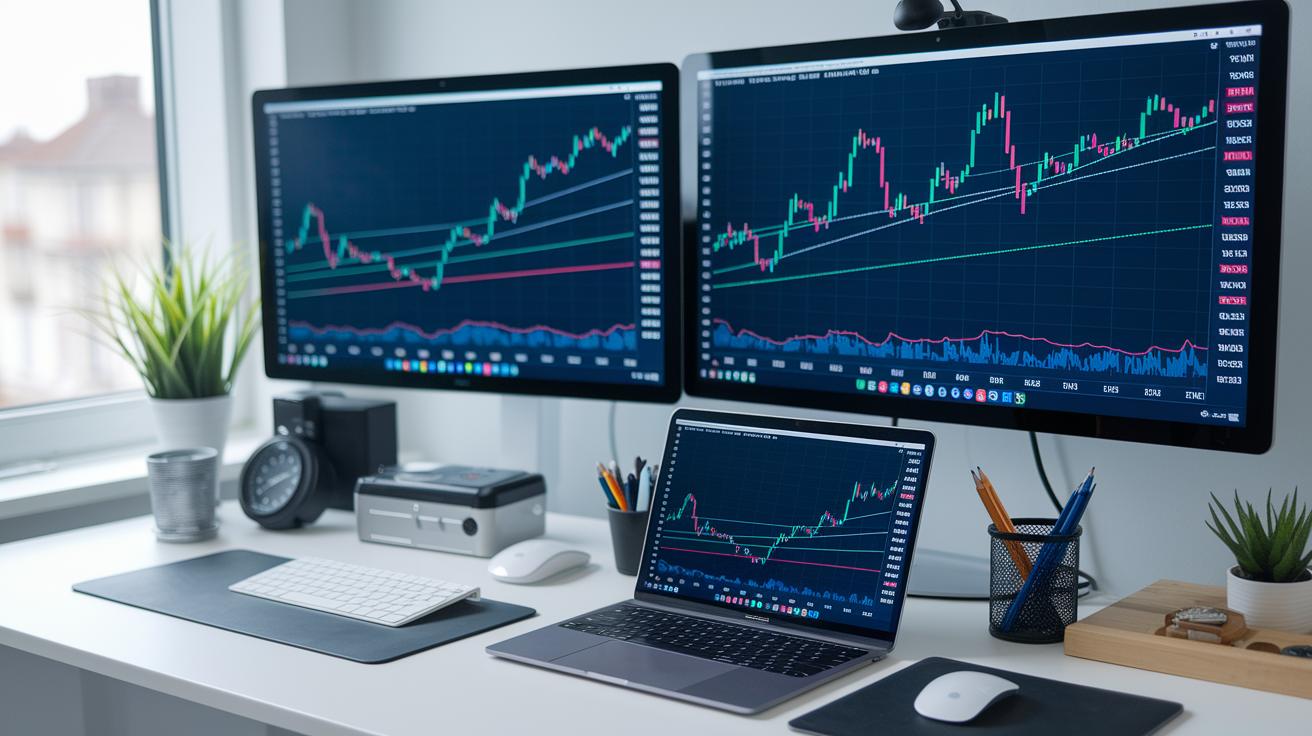
TradingView often gets a thumbs-up for its simple layout that makes moving between screens feel really smooth. Finviz, by contrast, packs in lots of criteria but can seem a bit busy on smaller screens, which may slow down those quick-tapping users.
ChartMill stands out with a clear design that neatly separates its filtering options, making it easy for you to find what you need. Meanwhile, Yahoo Finance highlights the main metrics, like sustainable-stock filters, so you can compare key details without getting lost in all the extra info.
Responsiveness is a big deal, too. Stock Analysis, for example, adds handy tooltips that explain financial terms as you browse, so even tricky data feels more approachable. This focus on speed and clarity means that no matter how swiftly the market shifts, your app remains both useful and easy to handle.
AI-Powered Stock Screener Apps: Next-Gen Market Filter Tools
Imagine having a smart helper that keeps an eye on the market shifts for you. These stock screeners use AI, which means they work with machine learning (a way computers learn from data), so your research stays spot on. Take Trade Ideas, for example, they use an AI engine called Holly that shares trade ideas based on strategies tested with past market data. It's like getting advice from a friend who really knows the ropes.
These tools tweak themselves automatically when the market changes. When things get volatile, their built-in rules adjust on the fly. Plus, they rely on cloud-based investment tools (online systems that handle loads of real-time data), letting them catch trends quickly. This dynamic process helps you stay ahead, no matter how fast the market moves.
By using AI, these screeners not only boost your accuracy but also speed up your decision-making. They send you alerts as soon as criteria for a buy or sell signal are met, so you don't need to keep checking manually. This quick response is a real lifesaver for day traders and active investors who need timely insights to grab opportunities.
As more data flows in, the system gets even better at refining its predictions. That means your trade ideas remain sharp and relevant, letting you act with confidence in today’s fast-paced trading world.
Comparative Review of Top Screener Stock Apps

If you're looking for an all-in-one stock screening tool that doesn’t overcomplicate things, TradingView and Yahoo Finance are tough to beat. TradingView mixes straightforward features with detailed charts that welcome both beginners and casual traders alike. And Yahoo Finance? It gives you a clean, simple interface and even highlights eco-friendly stocks for those who care about a green portfolio.
For investors who want a bit more technical insight and a chance to set up custom screens, Finviz, ChartMill, and StockFetcher are popular choices. Finviz shines with its unique filters and the option to save your settings, letting you quickly track upward trends. ChartMill offers a friendly balance between ease-of-use and deep technical data. And StockFetcher lets you customize your view with more than 125 indicators , pretty handy if you like tailoring everything just so.
Day traders and serious portfolio managers tend to lean towards Trade Ideas and Stock Rover. Trade Ideas is a hit among active traders, delivering quick, actionable insights to keep pace with fast market changes. Meanwhile, Stock Rover integrates screening into its portfolio management tools, which means advanced users can easily keep track of both individual picks and the overall balance of their investments.
Final Words
In the action, this post walked through the critical features of a top stock screening app and compared pricing tiers for both free and premium options. We stepped through a simple tutorial and reviewed mobile usability, while also highlighting how AI boosts screening speed and accuracy. Each section shows how a smart, reliable screener stock app can help you make sound investment choices and manage risk efficiently. Keep exploring these tools to secure your financial confidence and move forward with clarity.
FAQ
How do I download and install a screener app on my device, whether for Apple, PC, or Android (APK)?
The screener app download offers options for various devices. You can typically get it from the Apple App Store, PC websites, or Google Play, ensuring you have a secure, compatible version.
Are there free stock screener apps available, and what features do they offer?
Free stock screener apps provide basic filtering and delayed data access. They allow casual investors to review market trends, though advanced features are usually reserved for premium versions.
Which is the best stock screener app in India?
The best stock screener app in India delivers real-time data and essential filters. It simplifies market analysis for local investors, helping them make informed decisions with clear and accessible metrics.
What features does the Morningstar stock screener offer?
The Morningstar stock screener offers deep analysis with comprehensive fundamental data and simple filtering options. It assists investors by highlighting key metrics that support clear evaluation of performance and opportunities.
Which stock screener app is best for real-time data and AI scanning?
The top stock screener apps integrate real-time market updates with AI-powered scanning and customizable filters. They streamline evaluation processes and help investors quickly uncover promising opportunities in the market.
Is investing in a stock screener app worth it for my trading needs?
Investing in a stock screener app is worthwhile as it organizes market data, highlights trends, and refines decision-making processes. This practical tool benefits both occasional investors and seasoned traders.