
Ever wondered if investing could be simpler and free of extra costs? A free portfolio tracker shows all your investments in one clear view, pulling in fresh data as it happens. Imagine a tidy dashboard where you can see your assets grow and get a full picture of your finances. In this article, I’ll walk you through five smart tools that not only keep an eye on your portfolio but also help with budgeting and analysis. Who says smart investing has to cost a lot? These options show that you can take control without breaking the bank.
Overview of Top Free Portfolio Tracker Tools

Using a free portfolio tracker can really help you keep an eye on all your investments without spending extra cash. It pulls in live data so you’re always up to speed on your asset values and financial progress. Plus, it makes juggling multiple accounts a lot simpler.
There are five free tools available that meet a range of investor needs. Holistic, for example, lets you try a live demo without having to sign up and supports many asset types with handy features like auto-connect and full 360° analytics. getquin shines with its portfolio sharing and community forum, even offering multiple languages. Then there’s Parqet, which zeroes in on deep equity analysis while working independently of extra data feeds. Copilot mixes classic portfolio tracking with budgeting and spending tools to give you a complete view of your finances. Finally, Portfolio Performance is a free, open-source desktop download that lets you tailor your workspace, though it doesn’t come with a mobile app.
| Tool | Key Feature | Standout Benefit |
|---|---|---|
| Holistic | Live demo without login, broad asset-class support | 360° analytics with Auto-Connect |
| getquin | Portfolio sharing and community discussions | Multi-language interface |
| Parqet | Advanced equity analysis | Standalone operation |
| Copilot | Tracks spending and budgets along with investments | Comprehensive view of your finances |
| Portfolio Performance | Free, open-source desktop solution | Customizable workspaces |
If you want to dive deeper, check out detailed reviews that compare their features, performance, and ease of use to help you choose the best free tool for keeping your investments in check.
Feature Comparison of Free Portfolio Tracker Apps
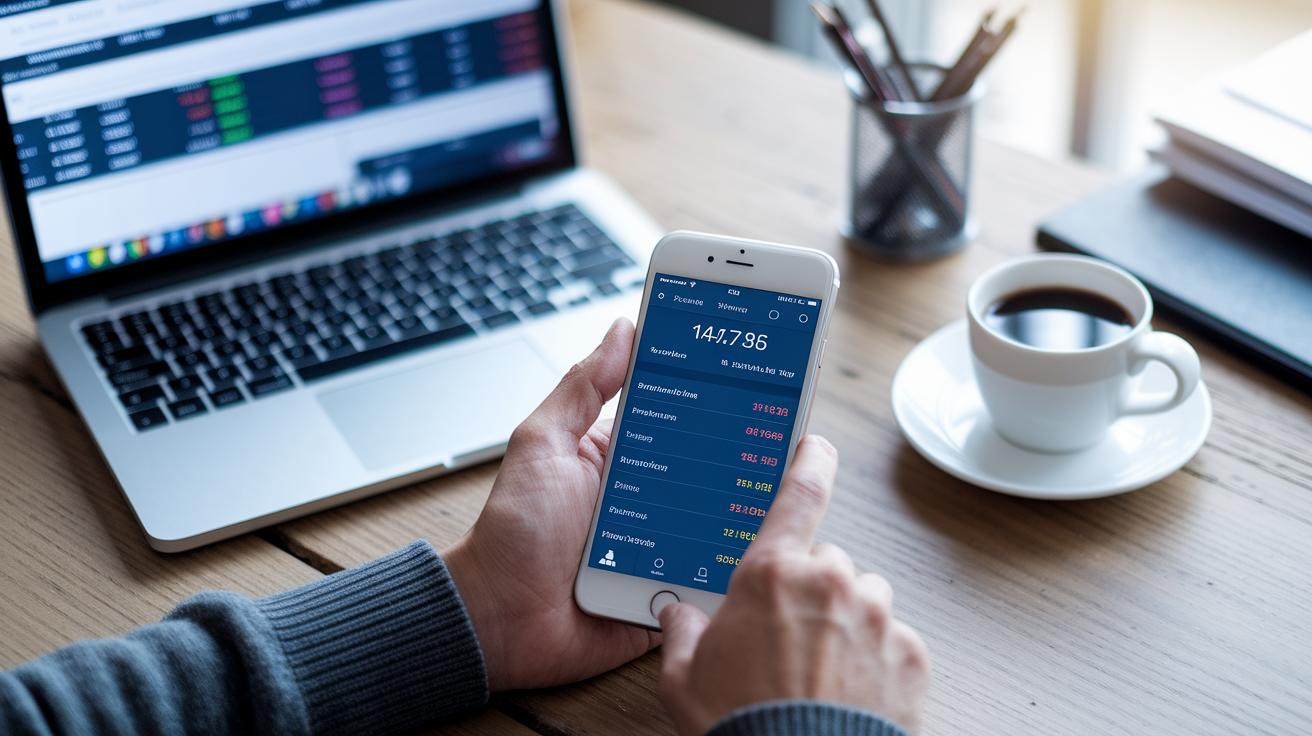
When it comes to free portfolio trackers, a lot of them focus on covering different types of assets and connecting with various brokerages. In simple terms, these tools let you link your brokerage accounts easily using Auto-Connect or by uploading a CSV file. Plus, many apps now offer a complete view of your portfolio along with basic financial details, kind of like watching a live painting of your money as it grows and shifts with market changes.
Many of these trackers go a step further by adding features like a stock screener and a portfolio simulator. This means you can try out different investment ideas and test trade scenarios without any risk. And here's a neat point: some apps include income monitoring tools such as a dedicated dividend tracker and smart alerts. These alerts can notify you when it might be a good time to diversify or adjust your positions, helping keep your finances on track.
Some trackers also build in community features that let investors share ideas and strategies, turning a normally solitary task into a more social experience. At the same time, many platforms mix everyday budgeting tools with long-term asset tracking to give you a complete picture of your financial life.
Finally, the type of platform you choose, whether it’s a web-based interface, a free mobile app, or a downloadable desktop program, can depend on what you’re most comfortable using. This variety means you can select a tool that fits perfectly with your tech habits and your personal approach to investing.
Deep Dive: Holistic Free Portfolio Tracker

Holistic is a free asset overview app that lets you get a live demo without even signing up. It covers a wide range of asset classes, from stocks and ETFs to crypto, DeFi, and real estate. This makes it a handy tracker for all your investments. With Auto-Connect for live pricing, you see market changes the moment they happen, kind of like watching the pulse of the market in real time.
The app packs in neat features like fundamentals, dividend info, a screener, and even a simulator. All these tools work together in a complete analytics suite that lets you dive deep into your financial data. For example, you can use robust analysis tools (check out https://tradewiselly.com?p=247) to easily review detailed reports on your investments. It’s like having a financial report right at your fingertips.
The support side of Holistic is pretty solid too. If you ever have questions, you can reach out on WhatsApp, over the phone, or through live chat. This quick help, combined with smart alerts to keep you updated, makes the whole experience smooth and reliable. Whether you’re just starting out or you’ve been investing for years, Holistic offers both powerful tools and friendly support, all in one free online equity manager tool.
Pros and Cons:
- Pros:
- Live demo access without signup, wide asset-class coverage, real-time pricing, and deep analytics.
- Cons:
- The learning curve might be a bit steep if you want to explore every feature.
Deep Dive: getquin Free Portfolio Tracker

getquin is a free tool that helps you keep all your investments in one place without any hidden fees. It brings people together by letting you share your financial ideas and learn from others. Imagine chatting with a friend about a new strategy, that’s the heart of getquin.
This platform makes it easy to compare different trading ideas by letting you share your portfolio. You can even join a leaderboard and use the site in several languages. Think of it as a friendly space where you can post a picture of your current holdings and ask, "Have you ever tried switching up your mix like I did last quarter?" This kind of exchange turns the often lonely task of managing investments into a lively conversation.
It’s a great way to discuss ideas and get feedback, whether you’re new to investing or have been at it for years. With getquin, watching the market is not just about numbers, it becomes a fun, social activity that can help make sense of your financial journey.
Deep Dive: Parqet, Copilot & Portfolio Performance

Parqet
Parqet goes beyond simple number crunching. It offers clear, independent insights that feel like a personal report card for each stock. Imagine checking each stock’s detailed review, complete with real data trends, and spotting changes over several quarters. It’s like getting a heads-up when a company is shifting gears.
Copilot
Copilot feels like having a smart, everyday financial friend by your side. It not only tracks your assets but also keeps an eye on your spending with gentle alerts, so you never face a cash flow surprise. One user even mentioned how these timely nudges helped them stick to a tight monthly budget while growing their portfolio. It’s a simple, hands-on way to balance day-to-day spending with your long-term goals.
Portfolio Performance
Portfolio Performance is perfect for those who like to dig deep into their investments on a desktop. Even though it doesn't have a mobile version, its flexible, customizable workspace allows you to generate detailed reports and carry out thorough technical analysis. One investor described it as crafting a clear, offline ledger, focused and free from digital distractions. A useful tip: tweak the settings to group similar assets for a snapshot that fits your strategy.
| Tool | Unique Insight |
|---|---|
| Parqet | Independent equity report cards for stocks |
| Copilot | Integrated alerts for balancing spending and investing |
| Portfolio Performance | Customizable desktop analytics with offline focus |
Selecting the Right Free Portfolio Tracker

If you’re looking for an easy way to keep track of your investments, this guide can help. For extra details, jump to our deep dive and overview sections.
If you need live updates on everything from stocks to crypto and real estate, try Holistic. Imagine asking yourself, “Do I need a full picture of my investments?” Holistic gives you real-time prices and data across assets all in one simple view.
If you love bouncing ideas off other investors, getquin might be just right for you. Curious about community insights? With getquin, you can share your ideas and see how others are planning their moves.
Maybe you prefer solid, detailed reports on your desktop. In that case, Portfolio Performance and Parqet are worth checking out. Portfolio Performance is open source with customizable analytics, and Parqet offers deep equity analysis. So, if gathering detailed, offline data is important to you, consider these options to get a clear, comprehensive review.
Setting Up Your Free Portfolio Tracker

Before you start, make sure you have your brokerage details, account info, and clear investment goals handy. A free portfolio tracker lets you keep an eye on your whole investment setup without spending a dime. Many free digital tools guide you through every step, making the whole process feel like a friendly chat.
- Sign up or download the tracker app from the official website or app store.
- Connect your brokerage accounts using Auto-Connect or upload your data via CSV for a smooth integration.
- Organize your investments by grouping assets like stocks, ETFs, crypto, and real estate so the tool can clearly show what you own.
- Set your dividend options, choose which incomes you want the tracker to keep an eye on.
- Explore the different dashboards, like the 360° analytics view, fundamentals data, and dividend tracker, to see everything the platform can do.
Take a minute to tailor your alerts and preferences. This way, you can adjust notifications for price changes, dividend payments, or rebalancing prompts exactly how you like them. These custom settings help you stay ahead of your investments without having to constantly monitor the markets.
Security and Compatibility of Free Portfolio Trackers

Ever wonder how free portfolio trackers keep your investment info safe? They use encryption methods like SSL/TLS, which is a way to scramble your data when it travels from your device to the tracker’s servers. In simple terms, it’s like tucking your details into a secure envelope so no one unwanted can get a peek.
Different trackers work in different ways. Some require you to download a desktop program, while others are handy mobile apps for iOS and Android, or even run right in your web browser. This variety lets you choose a tool that fits your everyday tech habits and keeps you connected to your investments wherever you are.
Now, when you look at open-source versus cloud-hosted models, there’s a clear trade-off. Open-source trackers give you the power to manage your data on your own system, meaning more control for you. On the flip side, cloud-hosted options promise a simpler setup, regular updates, and reliable remote backups. Secure data integration, a way to make sure all your financial details are safely connected, is key to keeping your money safe.
Final Words
In the action, we unpacked the world of free tools, from holistic analysis and social sharing to budgeting integrations and open-source solutions. We looked at setup steps, key comparisons, and security features to make your investing smarter and more secure.
You'll now have the insights needed to choose a quality free portfolio tracker that fits your style. Stay alert, manage risk wisely, and enjoy the clear, straightforward view of your investments that these tools offer.
FAQ
What are some popular free portfolio tracker options available?
The free portfolio tracker options include apps like Yahoo Finance and Empower, spreadsheet-based trackers in Excel, and community recommended tools from Reddit. They help monitor stocks, ETFs, and other assets without cost.
What is the best free portfolio tracker?
The best free portfolio tracker depends on your needs, whether you need multi-asset analysis, social sharing features, or budgeting integration. Choose a tool that fits your personal investment style.
Is Zacks portfolio tracker free?
The inquiry about Zacks portfolio tracker indicates it may not be free. Zacks tends to offer premium services, so check their official website for the latest cost details.
Does Google have a portfolio tracker?
The question about Google portfolio tracker shows that Google does not offer a dedicated portfolio tracking tool. Investors often turn to free alternatives like Yahoo Finance and other independent options.
How can I track all my portfolios in one place?
The approach to tracking all portfolios in one place involves using an organizer that supports multiple asset classes and broker integrations. Many free tools now provide consolidated tracking features.
What is the Empower portfolio tracker?
The Empower portfolio tracker is a free tool designed to manage investments. It offers user-friendly dashboards and real-time analytics, making it easier for you to keep track of diverse assets.